
01
Tell it what lands.
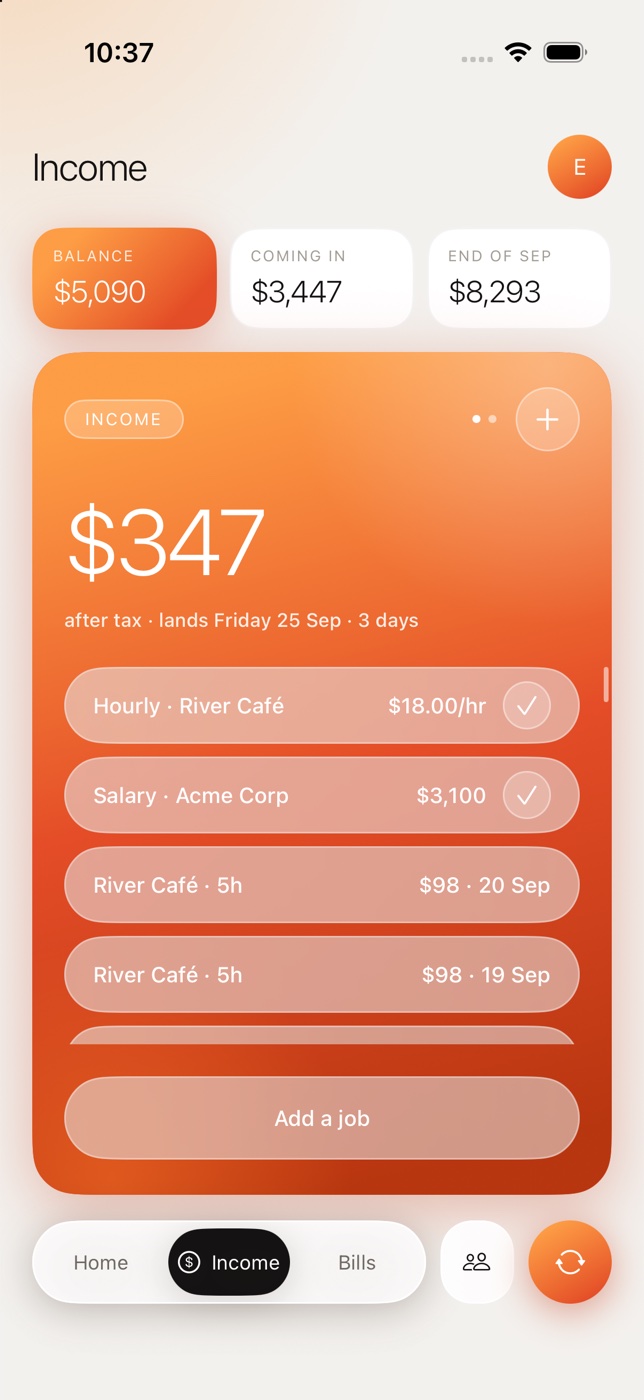
Salary or hourly. Log shifts as you work them and Maysara estimates each paycheck after tax — an estimate, clearly labelled.
Maysara for iPhone
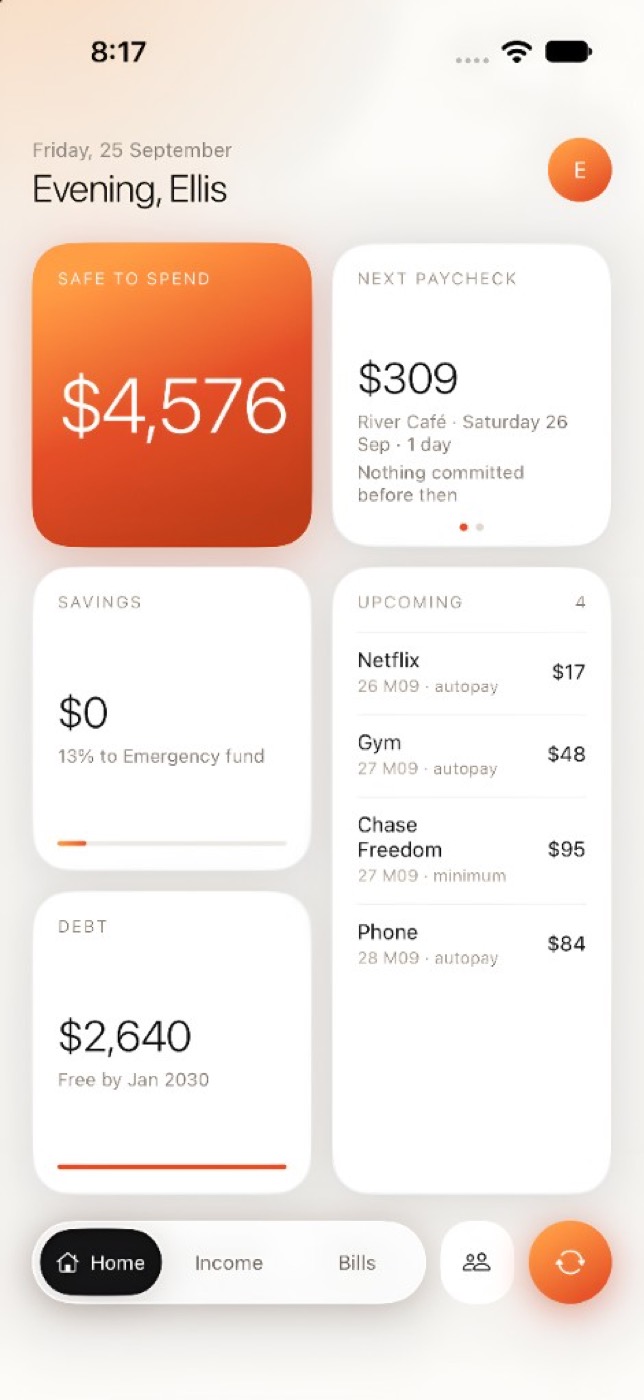
Maysara takes your balance, holds back every bill, debt minimum, goal and buffer due before your next paycheck — and shows you what’s left. No bank login. Just the number, and the math behind it.
Safe to Spend
Safe to Spend is your balance minus everything already spoken for before your next paycheck. The paycheck itself isn’t added until it lands — so the number never borrows from money you don’t have yet.
Safe to spend
$4,576
Yours to spend until your next paycheck. Rent, bills and your buffer are already set aside.
How it works
A few minutes of typing — no statements, no logins. You enter the numbers you already know.
Salary or hourly. Log shifts as you work them and Maysara estimates each paycheck after tax — an estimate, clearly labelled.
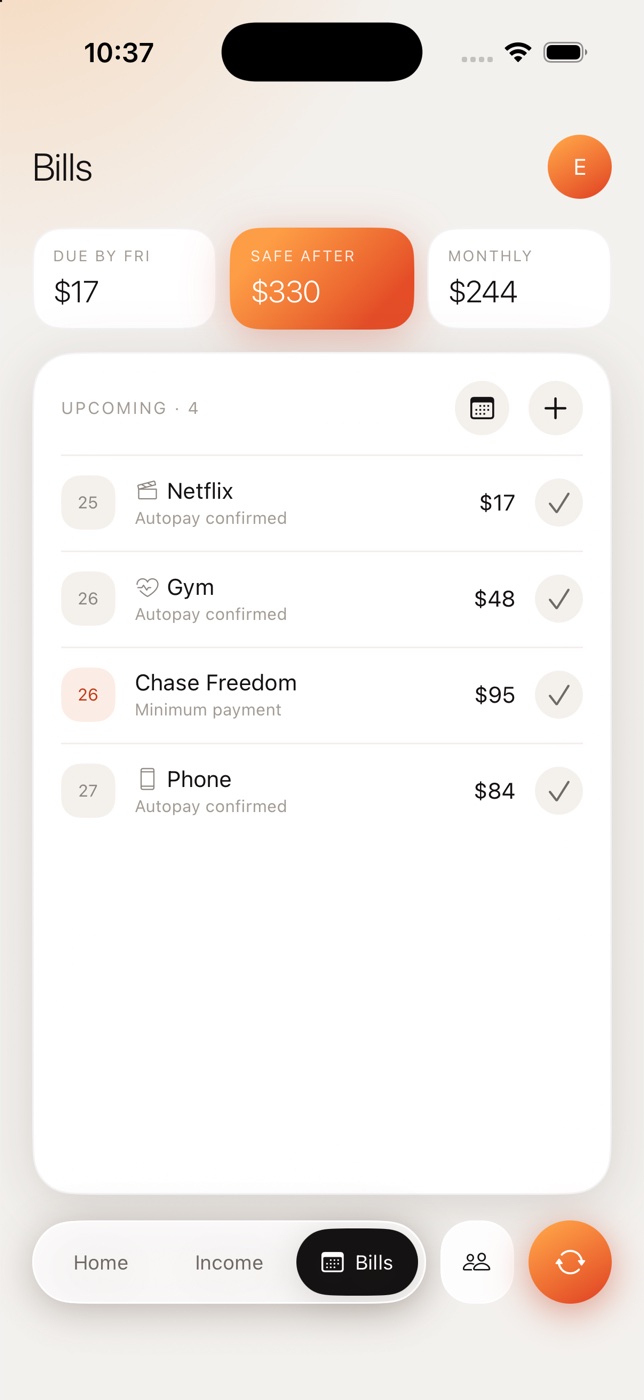
Rent, subscriptions, card minimums. Enter them once — they roll forward each month and come out of the number before they’re due.
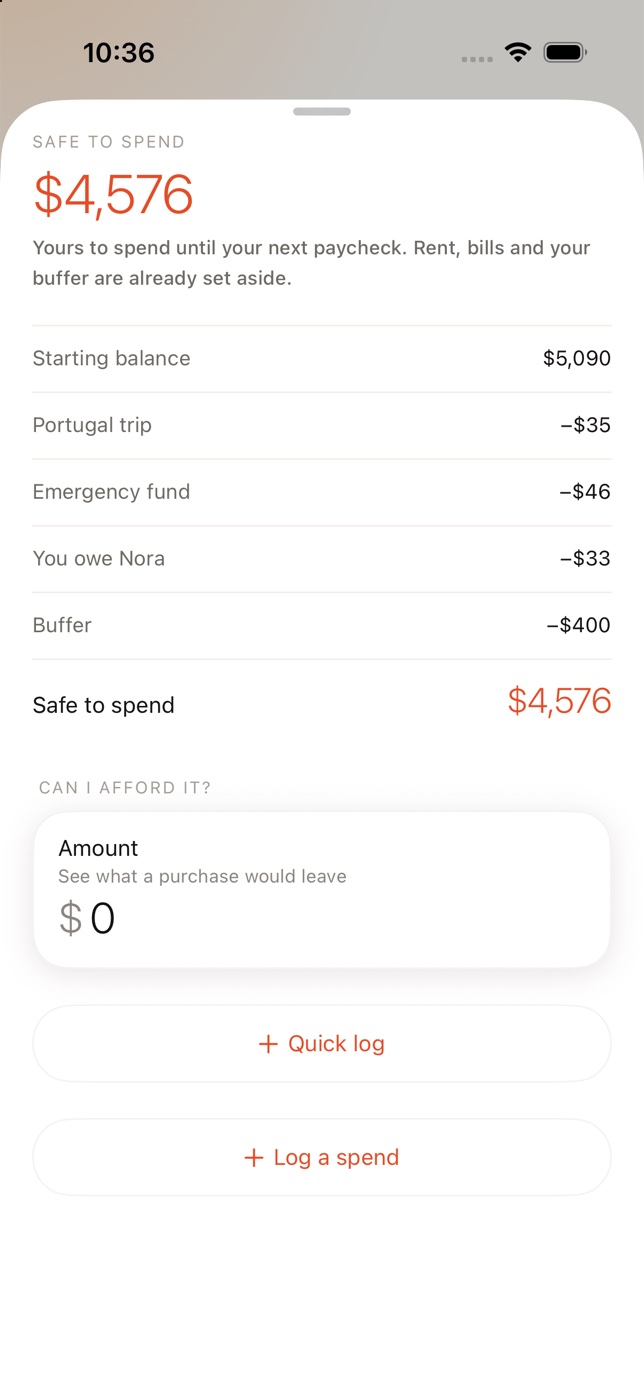
A buffer you refuse to touch, savings goals, what you owe a housemate. All held out before you see a dollar.
Every day
Before you buy, not after. Measured against payday, not the month.
Log it in a couple of taps and Safe to Spend updates. Logged the wrong amount? Undo it.
The next paycheck and the days until it lands, right on Home.
Add APR and minimums and see a payoff date. Minimums come out of the number automatically.
Each goal reserves its share every pay period, so saving happens before you see what’s left.
A weekly summary at the time you choose. Past weeks stay in the archive.
Zones
Each zone has its own honest number. Turn on the ones you need — the rest stay out of the way.
Your number, your bills, your goals. Private to you.
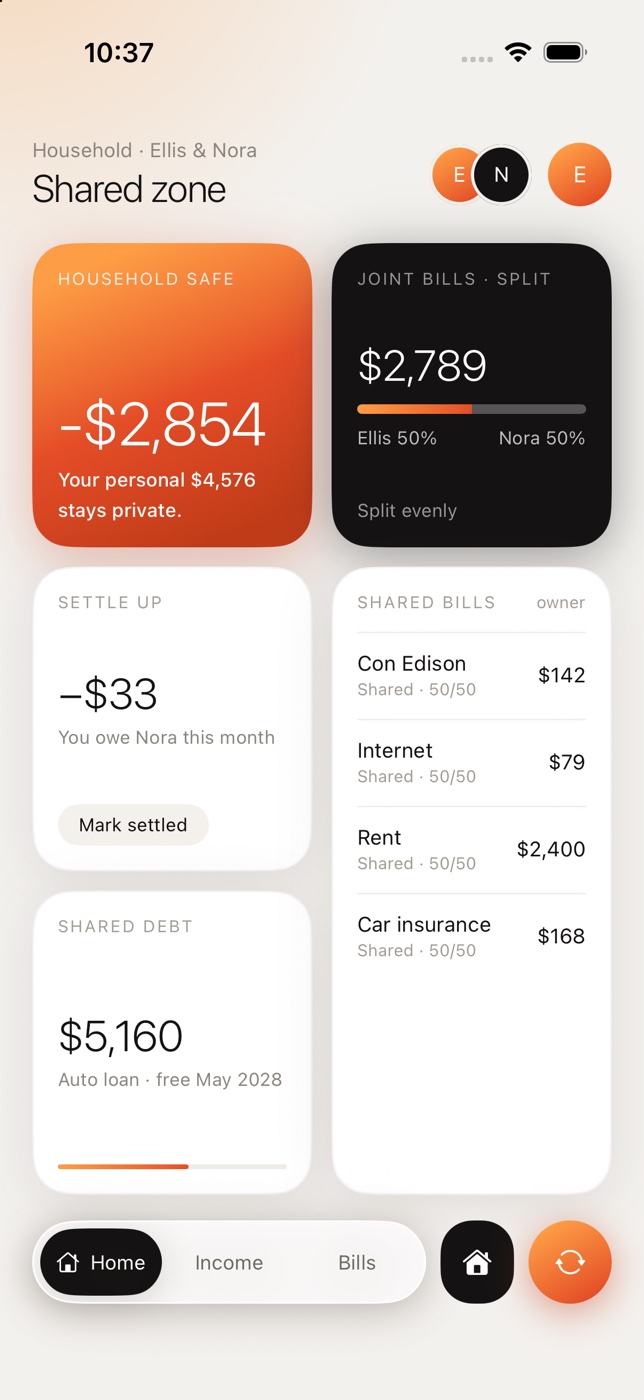
Share bills with a partner or housemate. Split evenly or by income, settle up, and invite them through iCloud. Your personal number stays private.
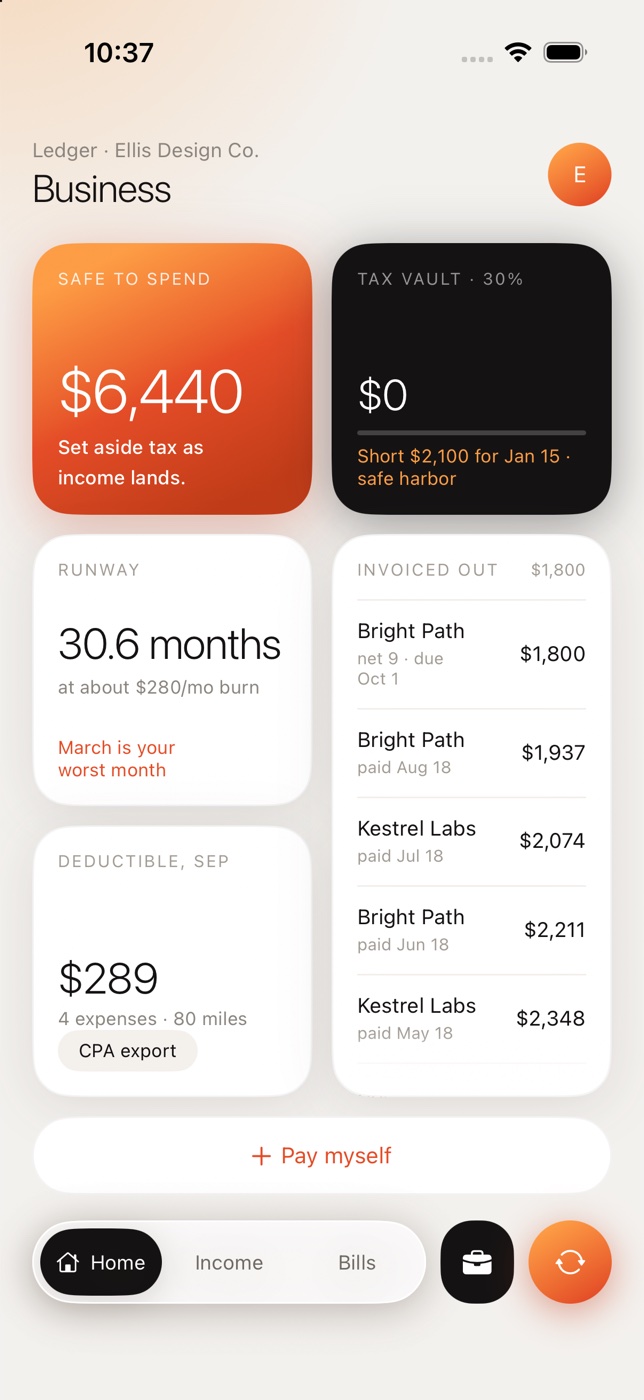
A separate ledger for freelance and side income: tax vault, invoices, deductibles, mileage and a CPA export. Tax money never counts as spendable. Estimates, not tax advice.
Private by design
Most money apps want your bank login, then pay for themselves with your data. Maysara never asks. You type the numbers, the math runs on your iPhone, and a subscription pays for the product.
Read the privacy policyMaysara doesn’t connect to your bank. There’s nothing to hand over.
No ads, no affiliate credit cards, no selling transactions. Ever.
Your ledger lives on your iPhone and syncs through your own private iCloud. Switch sync off in Settings whenever you like.
Export every zone as CSV any time — even after you cancel.
Pricing
Start with a free trial. No card, no auto-charge. Same access either way you pay.
Questions
No. You enter your balance, income and bills yourself — it takes a few minutes, and your bank login never leaves your hands.
The trial ends and nothing charges — it never took a card. Choose yearly or monthly to keep using Maysara. Your numbers stay on the phone, and you can export anytime. Cancel anytime in one tap from Settings.
On your iPhone. With iCloud sync on, it’s also kept in your private iCloud account. We don’t run a server copy of your ledger.
No. Paycheck and tax figures are estimates to plan with, not advice.
An iPhone running iOS 26 or later. Maysara is available in the United States.
Fourteen days free. No card. Cancel anytime.